Peakboard hub
Flow Lists
In the Peakboard Hub lists section, you can conveniently browse automatically generated flow lists and link individual values to variables.
Lists Panel
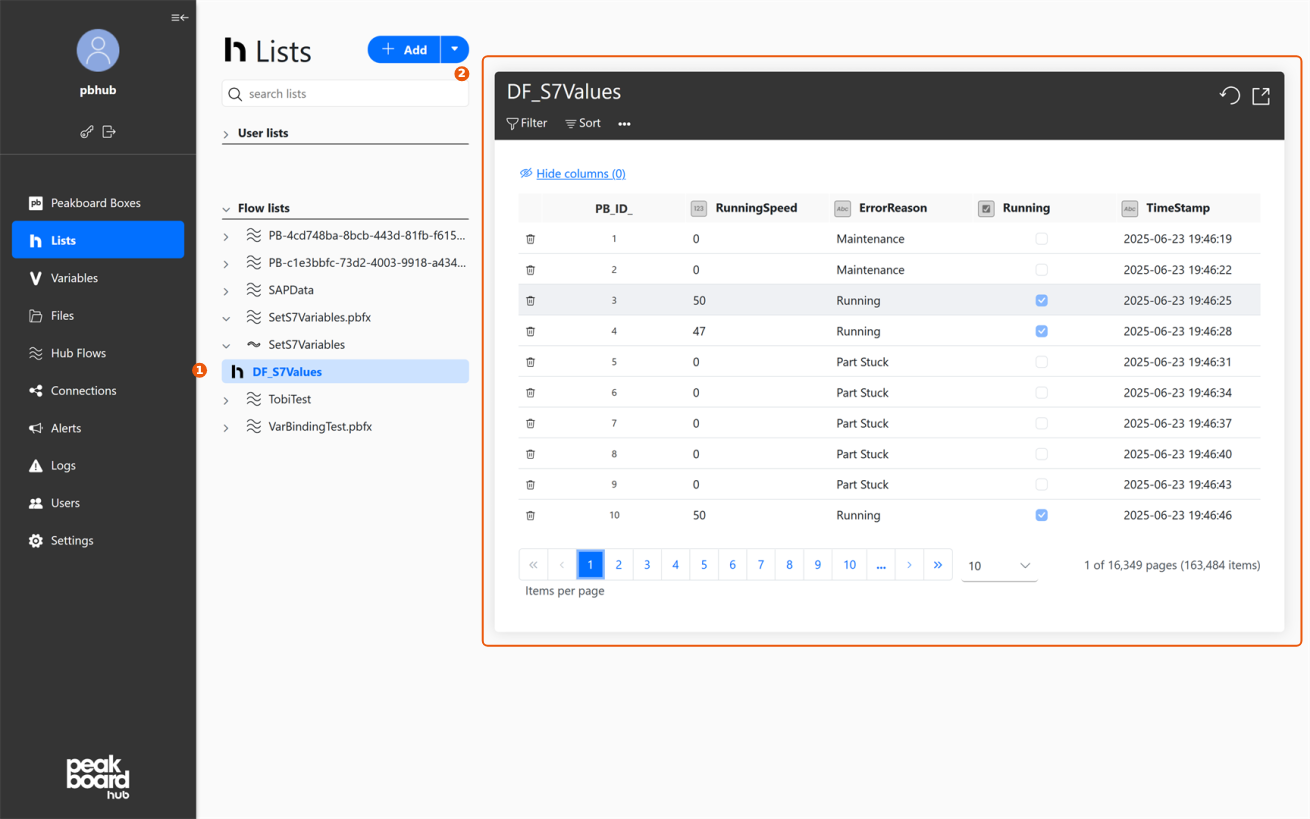
In the left navigation menu, select the [Lists] section, which displays two main areas: user-defined lists and flow-generated lists. The [Flow lists] show special lists that are automatically created and populated with data by a flow. Each flow appears with an expandable arrow showing the associated read-only lists. Use the search bar to filter lists by name.
List Data Display
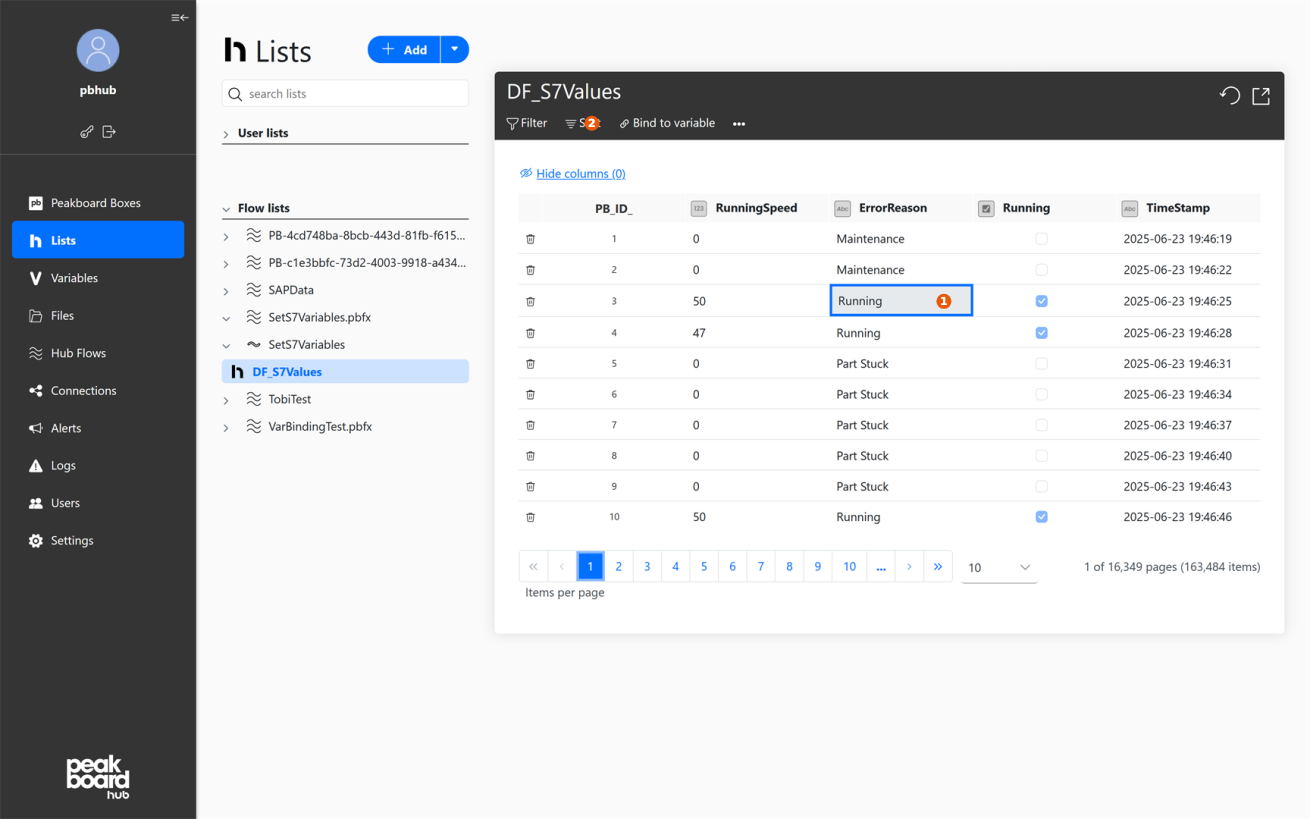
When you select a flow list, a tabular view displays all current entries. Each row represents a data record, with individual column values visible and selectable as cells. Flow lists are read-only and serve for viewing and analysis.
Bind Variable
After selecting a cell, the [Bind to variable] option appears above the table data. This automatically synchronizes the value of the selected cell with the assigned variable whenever the list changes. Data integration remains read-only — values cannot be written back to flow lists.