Peakboard hub
Lists Overview
The list view in Peakboard Hub provides a central interface for managing, editing, and controlling your Peakboard Hub lists.
Sidebar: Navigation and List Overview
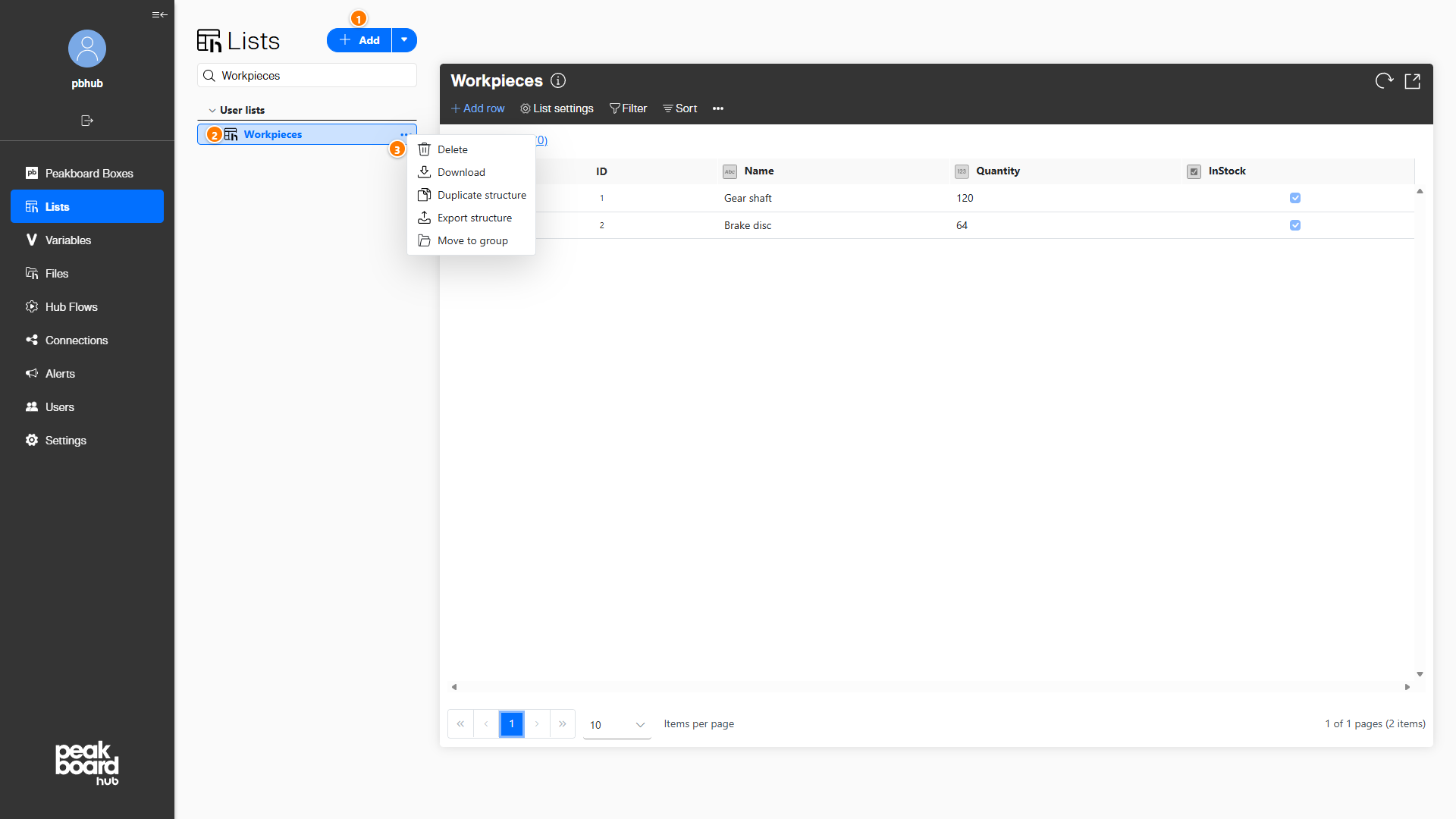
In the left sidebar, all created lists are displayed under the menu item [Lists]. Use the [Add] button (1) to create new lists or import existing ones. Clicking a list (2) opens its contents in the main area.
Each list has a three-dot menu (3) that offers additional actions: [Delete], [Download], [Duplicate structure], [Export structure] and [Move to group].
Main Area: List Contents and Central Control
The main window displays the contents of the selected list.
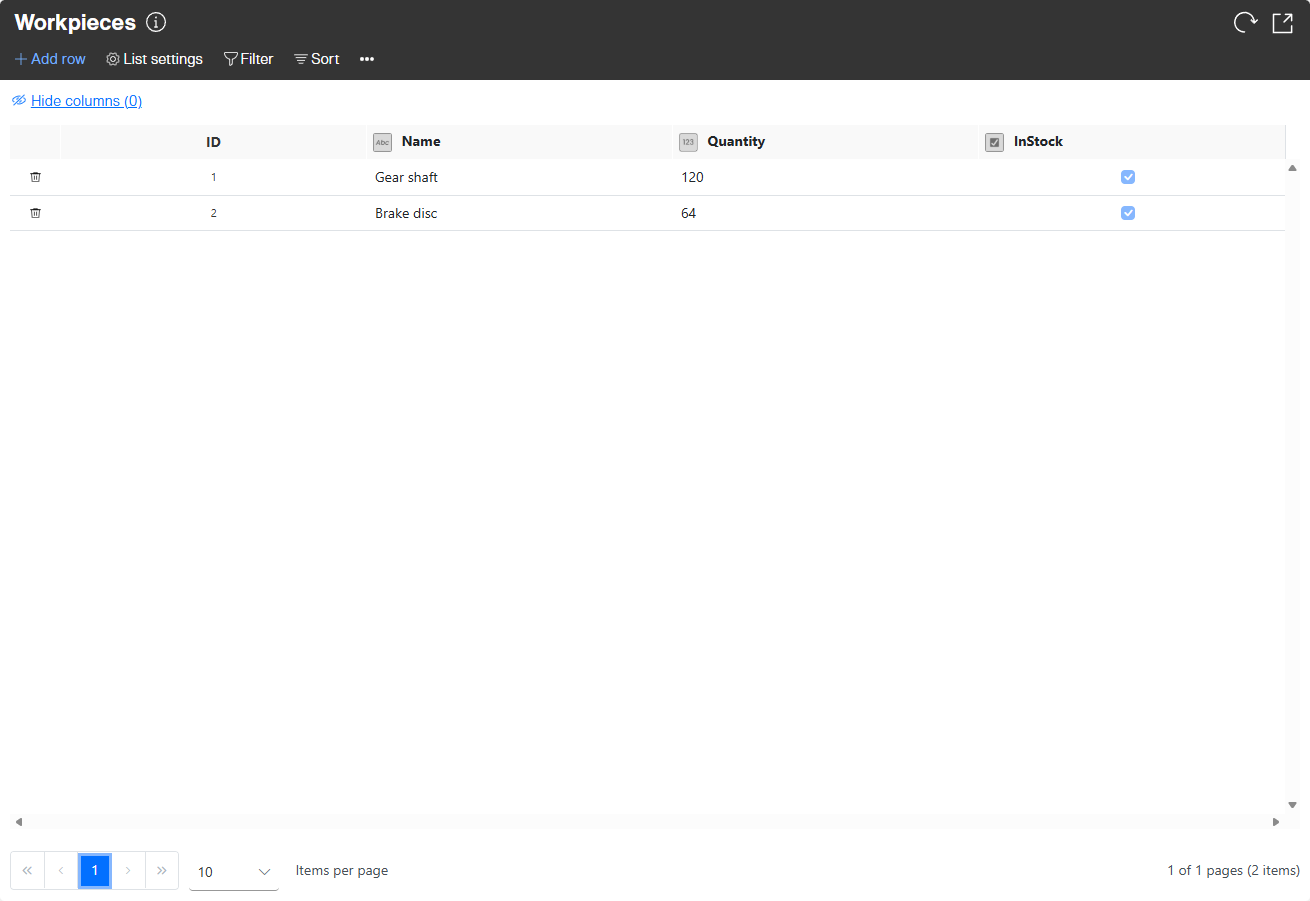
The menu bar above the list offers the following functions:
- Add row: Inserts new rows into the current list.
- List settings: Opens the editor for list names and columns (including type, default values, and constraints). Changes immediately affect connected scripts when the list is used in Peakboard Designer.
- Filter: Defines filtering by column entries using operations like equality, inequality, starts/ends with, and contains. Multiple values separated by semicolons create OR conditions.
- Sort: Sets the sort column and direction (ascending/descending).
- Reload: Refreshes the list content.
- Enlarge: Magnifies the table display.
The list’s three-dot menu also provides the [Clear all data] option for bulk deletion of all list entries.