Dataflows
Parse table
The category Parse table in the dataflow step selection holds the steps that turn structured content from a single cell into its own table – from JSON or from XML. To learn how to create a dataflow and add steps in general, see the first steps with dataflows.
Create table from JSON
With this step you create a new table based on a JSON array in a given table field. A requirement for this step are cells that contain a JSON array.
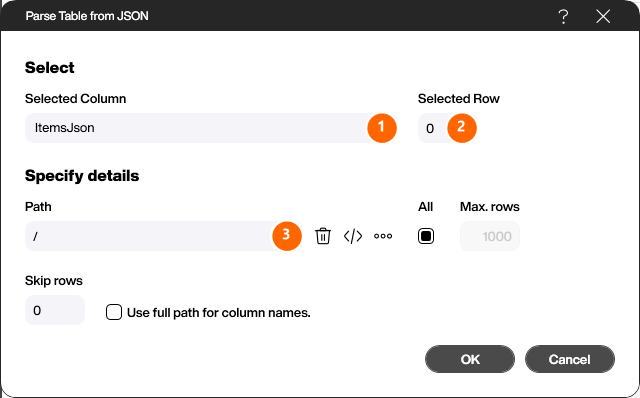
Pick the column that contains the JSON under [Selected Column] (1) and the row whose content is parsed under [Selected Row] (2). In the [Path] field (3) you optionally enter a JSON path to navigate into the JSON document. With the further options you can, if needed, limit the maximum number of rows, skip rows or use the full path as the column names.
Create table from XML
With this step you create a new table based on an XML string in a given table field. A requirement for this step are cells that contain an XML string.
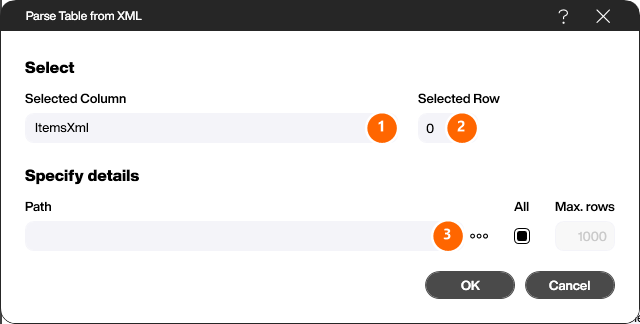
Pick the column that contains the XML under [Selected Column] (1) and the row to parse under [Selected Row] (2). In the [Path] field (3) you optionally enter a path to navigate into the XML document.