Scripting
Script Tree
The script tree is intended to facilitate working with scripts. It sits on the right-hand side of the script editor and contains predefined functions and code blocks. Double-click an entry – or drag it into the editor – to insert it at the cursor position.
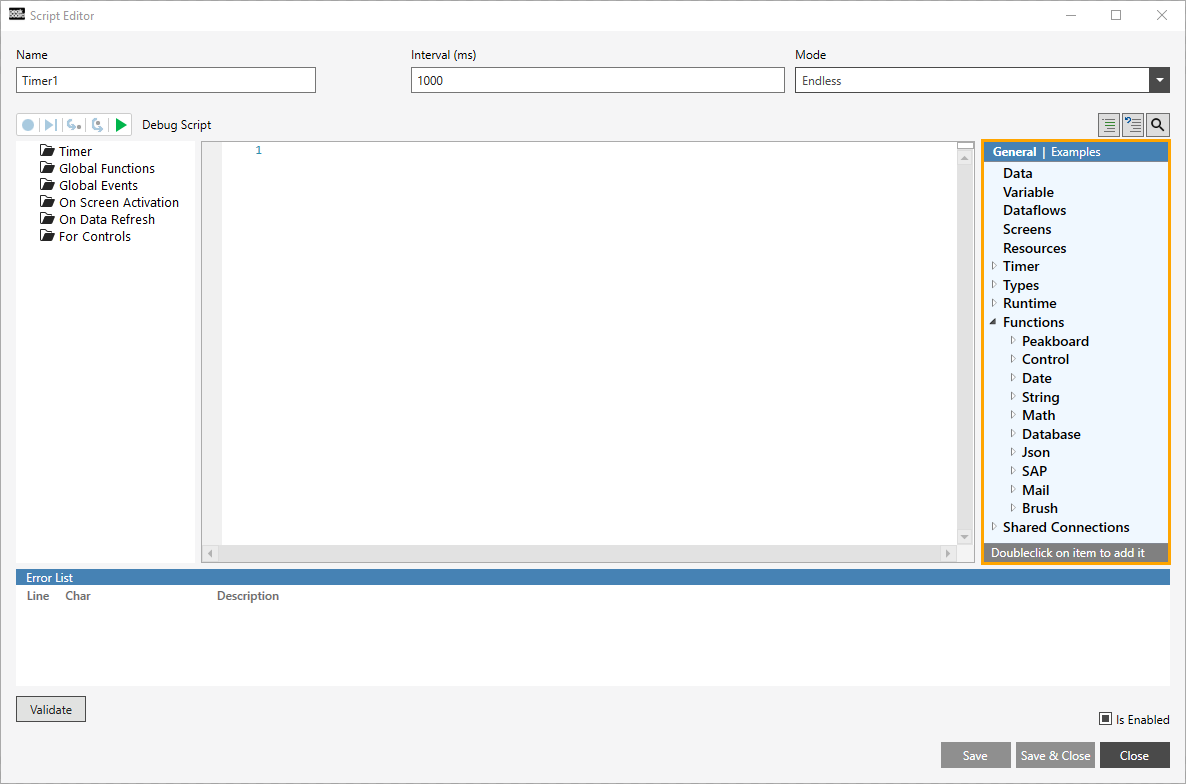
A few things help you find your way around:
- Script Mode / Block Mode – the toggle at the top switches the editor between classic Lua [Script Mode] and the visual [Block Mode]. The script tree adapts to the selected mode; this article describes the entries as they appear in Script Mode. For the visual editor see Building Blocks.
- Search for block (Ctrl + B) – the search field above the tree filters all entries by name.
- Datatype indicators – the colored dots next to an entry show its datatype (String, Number, Boolean, Color, Lua date), so you can immediately see what a function returns.
The tree is grouped into four top-level sections: DATA, CONTROLS, FUNCTIONS and BASICS.
DATA
Everything that supplies data to your application.
Timer
Only available in a timer script. Contains entries that refer to the current event, for example “Get name” and “Get current run count”.
Data
Here you find every data source created in the explorer, each with the functions characteristic of it – for example “Get value”, “Find value”, “Data aggregation” (such as “Count” or “Count distinct”), “Is enabled”, “Iterate over rows”, “Reload” and “Reload and await”.
A time data source additionally offers functions to work with date and time, analogous to the format function of a control, as described here.
CONTROLS
Here you find the screen and all controls placed on it that have a control name, together with the functions characteristic of the respective control (e.g. setting a text, value or visibility). Controls without a name are not listed – assign a name in the properties first.
FUNCTIONS
Actions that reach out of the current script.
- Publish to external system – write data back to connected systems (e.g. via HTTP, MQTT, OPC UA, mail, SharePoint, …).
- Peakboard Box – functions that address the Peakboard Box the application runs on.
- Application – functions that control the running application itself, such as switching screens.
BASICS
The general building blocks of every script, independent of data sources or controls.
- Logic & Loops – control-flow statements: “If”, “If else”, “If elseif”, “For”, “While” and “Repeat while/until”.
- Math – functions for working with numbers, e.g. converting a value from the String datatype to the Number datatype.
- Text – functions for working with text values, often used when filtering or composing strings.
- Date – common functions for working with a date or time. These do NOT replace the time data source; they extend the range of preconfigured functions for time manipulation.
- Color – create or modify a color, e.g. from a hex code.
- Metadata / Network – information about the environment and network.
- JSON – parse and build JSON structures.
- Error handling – catch and react to errors within a script.
Standard functions are always available here. With the help of the [Functions] script you can additionally create your own reusable functions at any time, which then appear in the tree as well.