Peakboard hub
Delete user group
In this article you will learn how to delete an existing user group in Peakboard Hub. After completing the described steps, the selected group is irrevocably removed from the system.
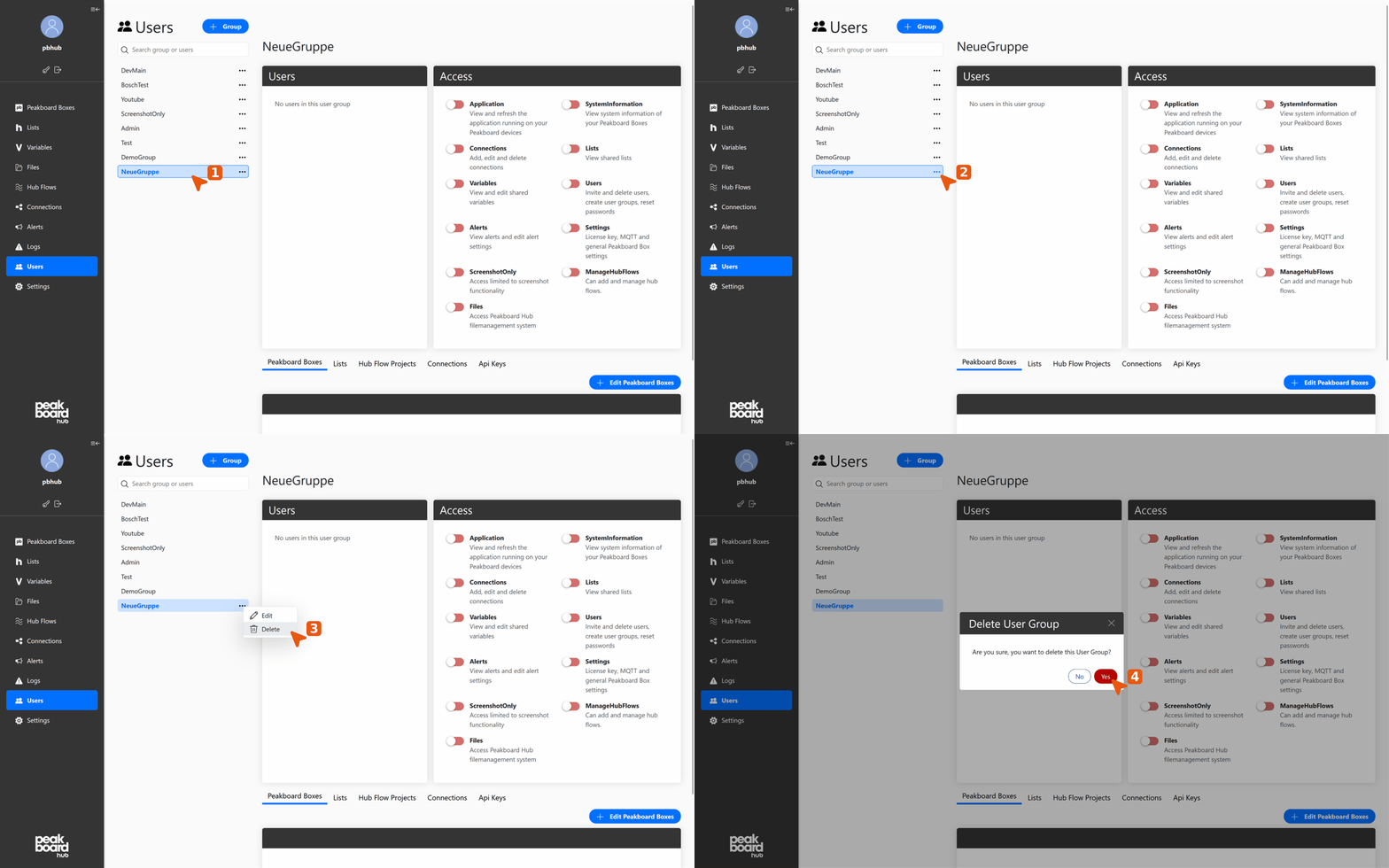
Select group for deletion
- Select user group: Navigate to [Users] in the left menu and select the user group you want to delete from the list. The selected group is highlighted in blue.
- Open context menu: Click the three-dot icon to the right of the group name.
Perform deletion
- Choose delete option: Select the [Delete] option from the dropdown menu.
- Confirm deletion: A confirmation dialog appears. Click the [Yes] button to confirm the deletion.
Please note: This process cannot be undone. All users assigned to this group will lose the corresponding group permissions.