Peakboard hub
Alerts
Peakboard Hub alerts are a tool for real-time monitoring and response in your operating environment. In the alerts view you manage system-wide warnings, their notifications, and the recipients for email and push notifications.
New and Solved Alerts
The central view displays two areas: new alerts and solved alerts. Each message shows timing, device details, a description, and the alert type (Info, Warning, or Error).
At the top of the [New Alerts] list you will find the following controls:
- Refresh icon: Reload the list.
- Select all checkbox: Mark multiple alerts as solved at once.
- [Delete all]: Remove all entries.
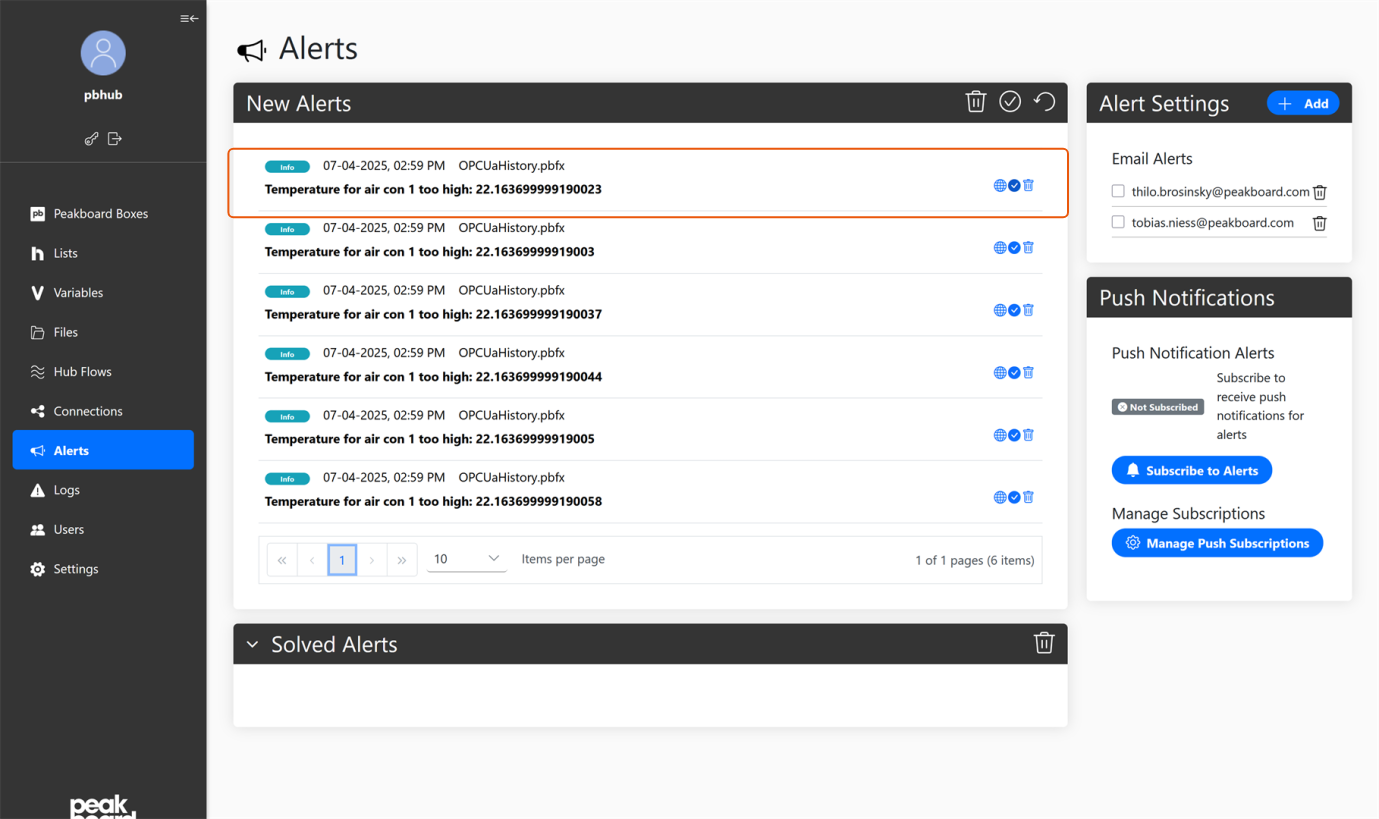
Each individual alert includes three action buttons:
- Globe icon: Opens web access for the affected box directly.
- Blue checkmark: Marks the alert as solved and moves it to the [Solved Alerts] list.
- Trash icon: Removes the alert from the current list.
Solved Alerts
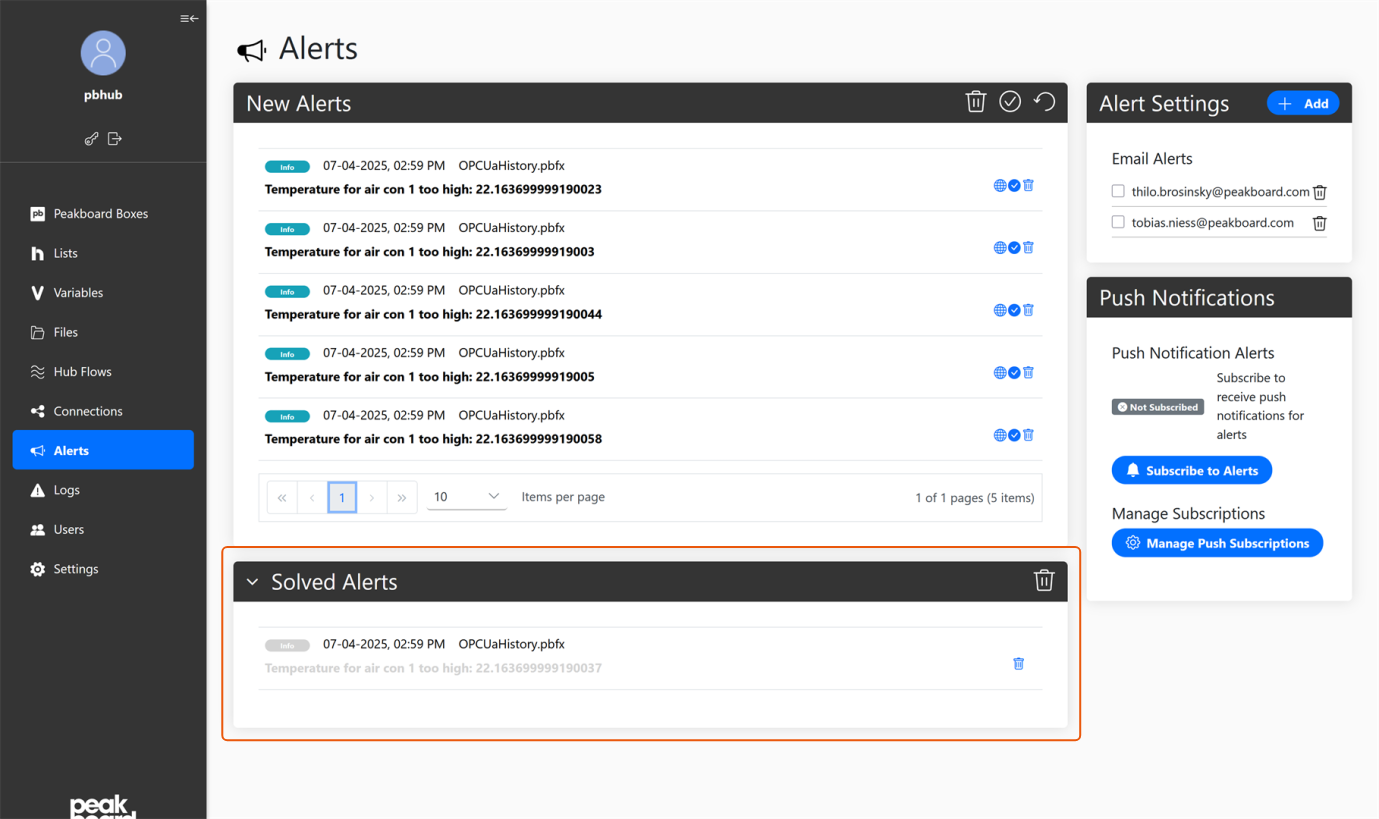
In this section you can completely remove confirmed and detected warnings. Use the pagination at the bottom to control page navigation and adjust how many entries are displayed per page.
Alert Settings
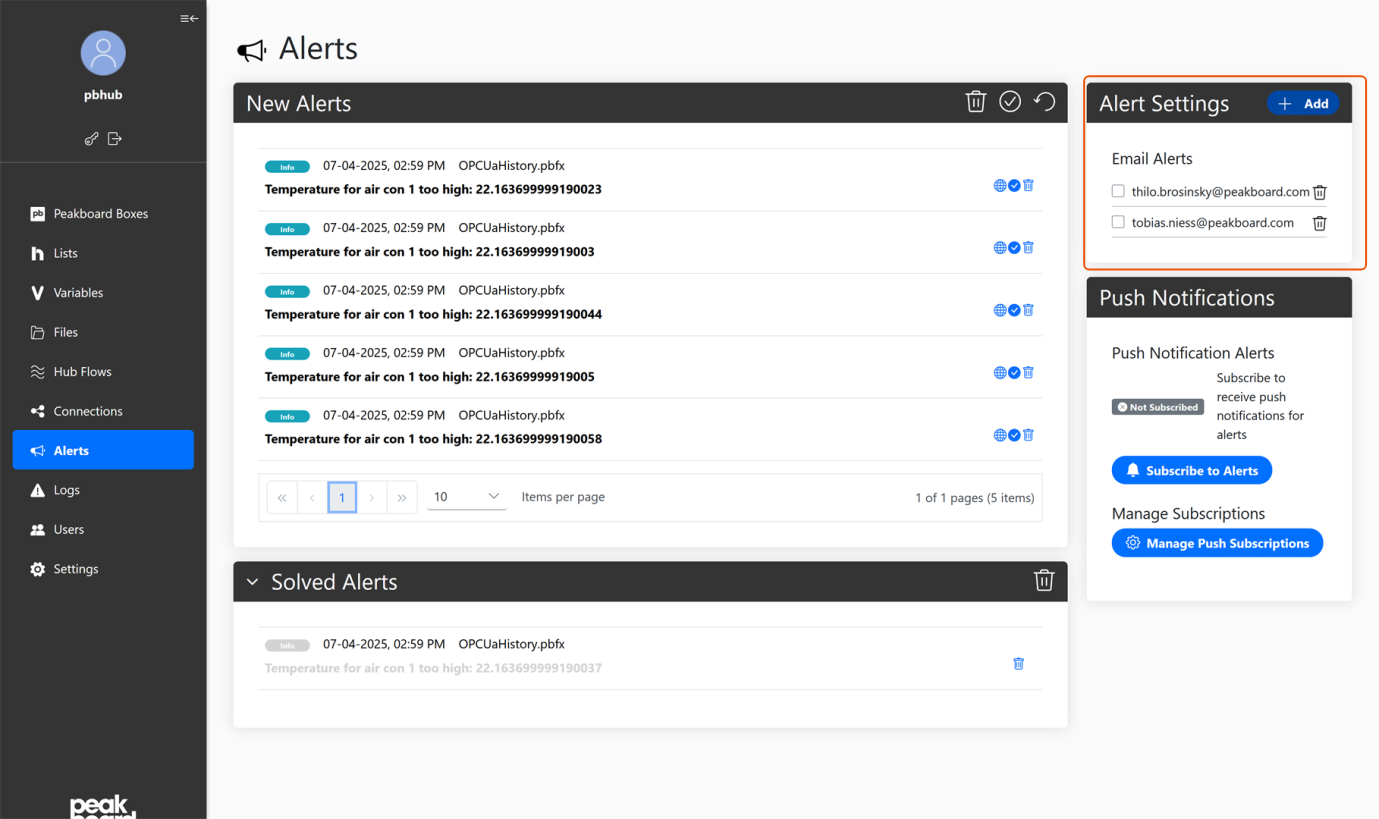
In the right panel you manage email notification recipients:
- Recipient list: Displays all email addresses that receive notifications for new alerts.
- Add button (+): Opens an input field for new addresses. Confirm with [Save]. Existing addresses can be removed directly.
Push Notifications
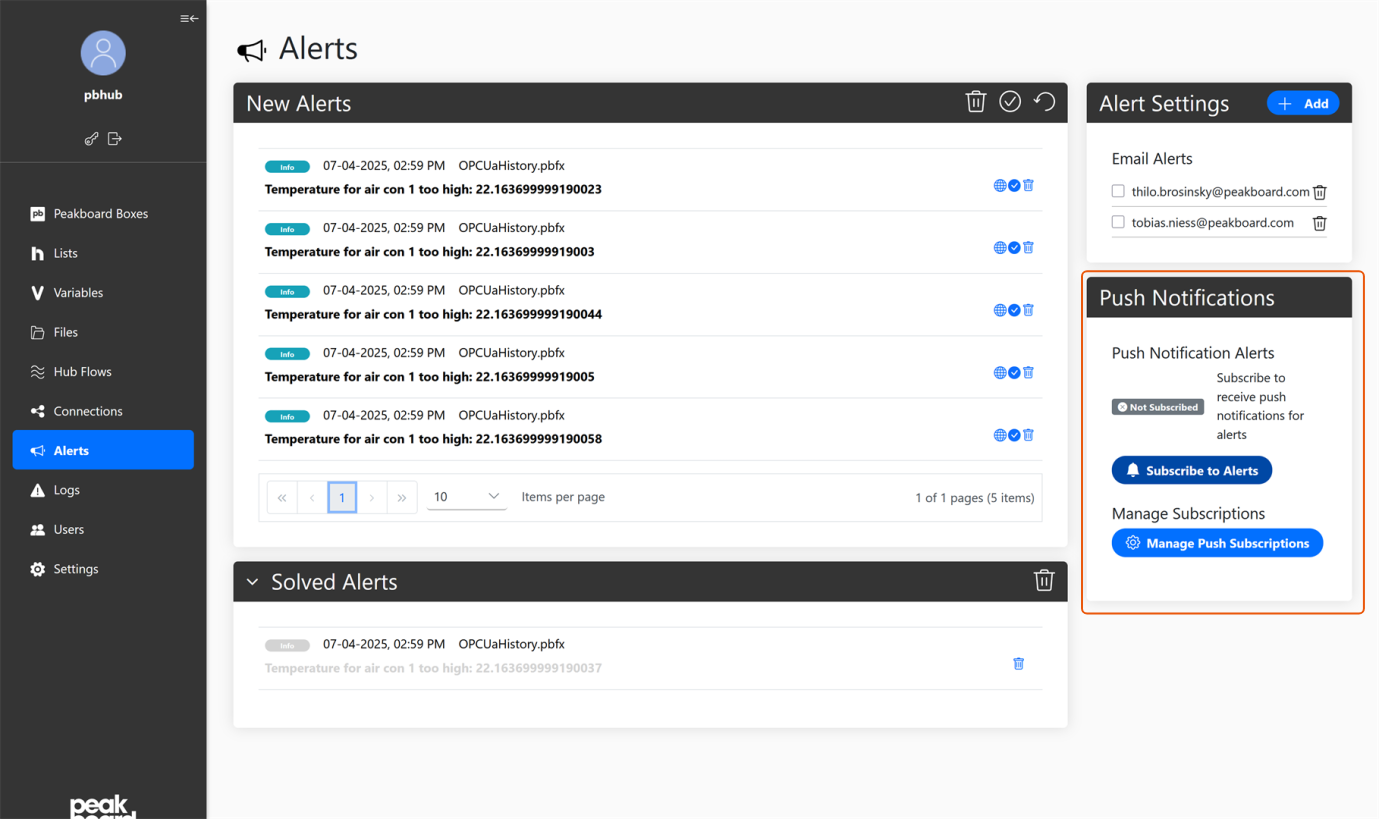
Below the email settings you control push notification delivery:
- Subscribe to Alerts: Activate browser or mobile push notifications.
- Permission: Confirm the browser notification permission in the dialog by clicking [Allow].
- Unsubscribe from Alerts: Disable push notifications at any time.
The different alert types
There are three different alert types that are intended for different purposes.
Info Alerts
peakboardhub.sendinfo('This is an information message')
Information messages are used, for example, to send general status updates or non-critical information.
Warning Alerts
peakboardhub.sendwarning('Warning: temperature exceeds recommended level')
Warning alerts are used to indicate potential problems or conditions that may require your attention.
Problem Alerts
peakboardhub.sendproblem('Critical error: application crashed')
Problem alerts are used to indicate critical issues or errors that require your immediate attention.